
Your Canva account has become a bit of a project.
You’ve been using Canva for a while now — and somewhere along the way, it got away from you. Designs stacked on top of designs. Uploads you don’t recognize. Folders that made sense once, maybe. And every time you open Canva to create something, you spend half your time just trying to find things.
You’ve told yourself you’ll sort it out when things slow down. But things don’t slow down.
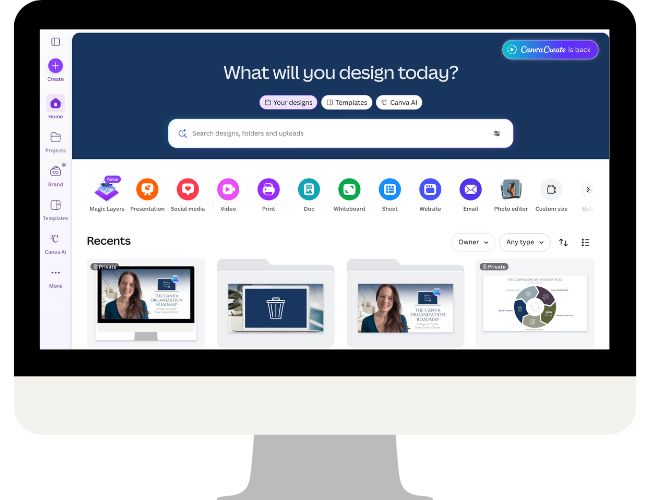
Here’s the thing…
Canva Create 2026 is happening on April 16th, and if past years are anything to go by, there are going to be new features and updates worth paying attention to. It’s a lot easier to take advantage of what’s coming when your workspace is already in good shape.
This is your window. Let’s use it.
The Great Canva Cleanup
Five days. One focused email per day. One clear action to take. No videos, no big projects — just a manageable daily prompt that moves you forward, one phase at a time.

This is for you if
- You’re a small business owner, solopreneur, or content creator who uses Canva regularly — and your account has quietly become overwhelming
- You spend more time searching for designs than actually creating them
- You’ve rebuilt something from scratch because it was faster than finding the original
- You keep meaning to organize your Canva workspace but never quite find the time or know where to start
- You want to be ready to make the most of whatever Canva Create 2026 announces.
Five days. Five phases. Real progress.
Each day walks you through one phase of my Canva organization framework — in a single, focused email with one clear action to take. No overwhelm, no rabbit holes. Just forward momentum.

Phase 1
Delete & Archive

Phase 2
Review & Clarify

Phase 3
Plan the Structure

Phase 4
Organize in Batches

Phase 5
Maintain the System
Joined late? Every daily email includes a link to a summary page so you can catch up at your own pace.
Ready to finally get it done?
Free to join. Starts March 30th. One email a day — no videos, no big time commitment.
A Canva cleanup built around how you actually work.
- Learn from the only Canva Verified Expert in the world whose specialty is Canva organization.
- This isn’t a one-size-fits-all folder dump. The framework is built to flex around how you work, what you create, and how your brain is wired.
- If you’ve tried cleanup methods before that left you with someone else’s folder structure, this is different — the system you build here will actually fit your business.
- One focused action per day keeps it manageable — no all-day projects, no overwhelm
- Completely free, delivered straight to your inbox.
- Walk away with a foundation you can actually maintain — not just a temporary tidy-up.
Hi, I’m Brenda Cadman.
I’m a Canva Verified Expert who has been helping small business owners cut through the Canva chaos since 2019 — long before it was a trendy thing to teach.
Canva organization is my specialty and my focus, and it’s what I’ve built my course Clean Up My Canva around.
Over the years I’ve worked with solopreneurs, content creators, and service providers of all kinds — and the story is almost always the same. They’re capable, creative people who know how to use Canva.
What they don’t have is a system that fits the way they actually work. So things pile up, folders multiply, and what started as a useful tool starts to feel like one more thing to manage.
What sets my approach apart is that I don’t hand you a generic folder list and call it a system. I teach you a framework that you apply to your own business — so the result actually fits the way you work and the content you create.
I’ve run the Great Canva Cleanup before as a paid event for people in my program. This year, I’m opening it up for free — because with Canva Create on the horizon, the timing feels too good not to.
You’ve been meaning to do this. Now you have a reason.
Free. Five days. Starts March 30th. Be ready for Canva Create 2026.