
Your Canva account has become a bit of a project.
You’ve been using Canva for a while now, and somewhere along the way, it got away from you. Designs stacked on top of designs. Uploads you don’t recognize. Folders that made sense once, maybe. And every time you open Canva to create something, you spend half your time just trying to find things.
You’ve told yourself you’ll sort it out when things slow down. But things don’t slow down.
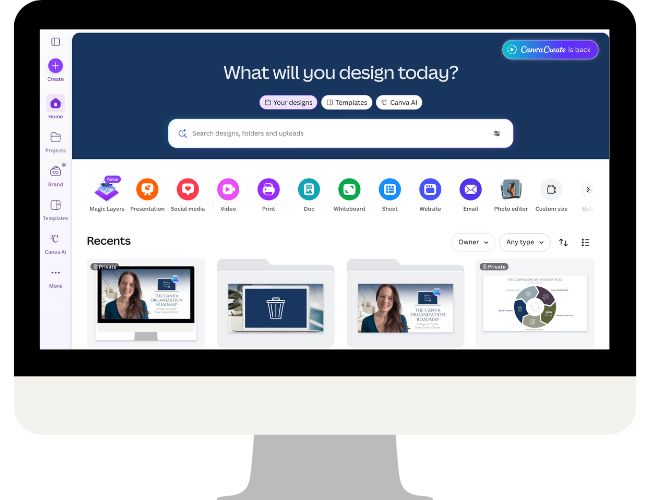
It doesn’t have to stay this way.
A disorganized Canva account costs you time every single time you open it.
And the longer it goes, the more overwhelming it feels. Every time you open Canva to make something, you spend the first few minutes just trying to find what you need, and that time adds up.
The Canva Organization Roadmap
Five days. One focused email per day. One clear action to take. No long videos, no big projects, just a manageable daily step that moves you forward.

This is for you if
- You’re a small business owner, solopreneur, or content creator who uses Canva regularly and your account has become overwhelming
- You spend more time searching for designs than actually creating them
- You’ve rebuilt something from scratch because finding the original felt harder than starting over
- You keep meaning to organize your Canva workspace but never quite find the time or know where to start
- You want a system that works for your business, not a one-size-fits-all template
Five days. Five phases. Real progress.
One email per day. One phase. One clear action. No overwhelm, no rabbit holes — just forward momentum
Plus, every email includes a link to a summary page so you can work ahead if you want to move through the phases faster.

Phase 1
Delete & Archive

Phase 2
Review & Clarify

Phase 3
Plan the Structure

Phase 4
Organize in Batches

Phase 5
Maintain the System
Ready to finally get it done?
Free to join. One email a day, no videos, no big time commitment.
A Canva Organization framework built around how you actually work.
- Learn from the only Canva Verified Expert whose specialty is Canva organization.
- This isn’t a one-size-fits-all folder dump. The framework is built to flex around how you work, what you create, and how your business is set up.
- If you’ve tried organizing methods before that left you with someone else’s folder structure, this is different.
- One focused action per day keeps it manageable — no all-day projects, no overwhelm.
- Completely free, delivered straight to your inbox.
- Walk away with a foundation you can actually maintain, not just a temporary tidy-up.
Hi, I’m Brenda Cadman.
I’m a Canva Verified Expert who has been helping small business owners cut through the Canva overwhelm since 2019 — long before it was a thing worth paying attention to.
Canva organization is my specialty and my focus, and it’s what I’ve built my course Clean Up My Canva around.
Over the years I’ve worked with solopreneurs, content creators, and service providers of all kinds — and the story is almost always the same. They’re capable, creative people who know how to use Canva.
What they don’t have is a system that fits the way they actually work. So things pile up, folders multiply, and what started as a useful tool starts to feel like one more thing to manage.
What sets my approach apart is that I don’t hand you a generic folder list and call it a system. I teach you a framework that you apply to your own business, so the result actually fits the way you work and the content you create.
The Canva Organization Roadmap is where that starts — a free, low-commitment way to get your bearings and make real progress, one phase at a time.
You’ve been meaning to do this. Now you have a reason to start.
Free. Five days. One email per day.